Skip to content

AG-UI#

A2UIAgent: Rich UI from Your AG2 Agents

Your AG2 agent can reason, call tools, and stream text. But what if it could also generate a full UI — cards, forms, buttons, images — from a single prompt?

A2UIAgent is a new reference agent in AG2 that produces rich, interactive user interfaces using the A2UI protocol. Instead of returning plain text, the agent generates structured JSON that client-side renderers transform into native UI components. The same agent serves web, mobile, and desktop clients — all through standard protocols.

In this post, we'll walk through what A2UIAgent does, how it works under the hood, and how to build a working demo that generates marketing preview cards served over A2A.
Jump into the AG2 Playground

AG2 Playground

Time for our AG2 agents to let their robotic hair down and have some fun. Jump in with agent orchestrations in the AG2 Playground: watch the flow between agents as they work, execute tools, and hand off to one another.

What's Inside

Interactive demos covering orchestration patterns and integrations. Pick one, select or type a prompt, hit Run, and watch agents light up as they think, stream responses, and coordinate in real time.

Want to do something similar, grab the code snippets on the Code tab for each demo or see the links to the topic in our documentation.

No account required, jump into playground.ag2.ai.

Deep Web Research with AG2 and GPT Researcher

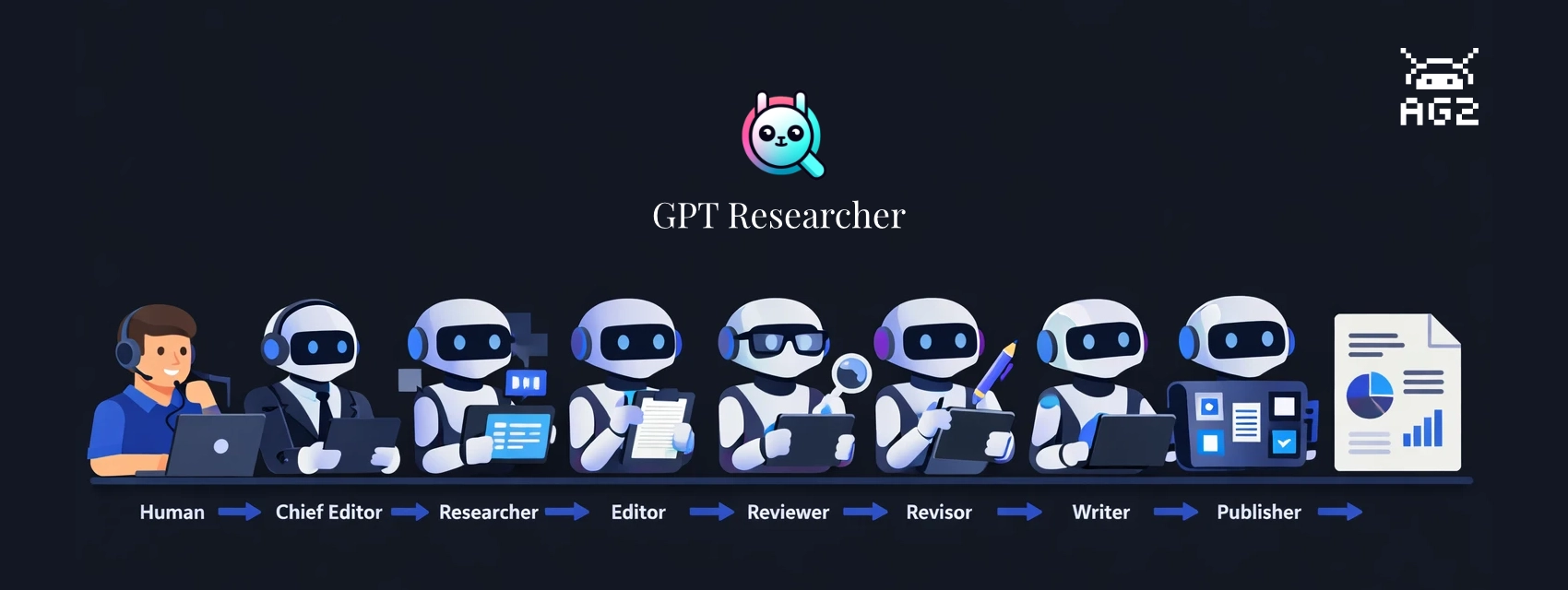
GPT Researcher x AG2

Ask an LLM to research a topic and write a report. It'll produce something -- sometimes quite good. But probe the sources, check the claims, or ask for substantial revisions and the limitations show up fast. The agent that searched the web is also the one drawing conclusions from it. There's no review step between research and writing. Errors and gaps pass straight through to the final document.

The fix isn't a better prompt. It's division of labor.

GPT Researcher, created by Assaf Elovic, is built on this idea: specialized agents, each with a distinct job, working through a staged pipeline. A researcher gathers, an editor outlines, a reviewer challenges the findings, a revisor incorporates the feedback, and a writer only touches finalized content. Every handoff is a quality check.

This post walks through the build-with-ag2 example, which runs the full pipeline with AG2 as the orchestration layer. The example ships with two run modes -- a terminal script and a web UI built on AG-UI that shows pipeline progress in real time and includes a human-in-the-loop review step before writing begins.

Give Your AG2 Agent its own UI with AG-UI

AG2 x AG-UI

You've built an agent with AG2. It reasons, calls tools, and streams responses. But right now it lives in a terminal or a script. The moment you want to put it in front of a user (like for a blog, perhaps) and stream text token by token, show tool activity as it happens, and handle errors gracefully you're building custom plumbing: WebSocket handlers, bespoke JSON formats, state synchronization logic.

AG-UI (Agent-User Interaction Protocol) is an open, lightweight, event-based protocol that standardizes this agent-to-UI layer. AG2 now supports AG-UI natively, meaning you can connect any ConversableAgent to an AG-UI-compatible frontend with just a couple of lines of code.

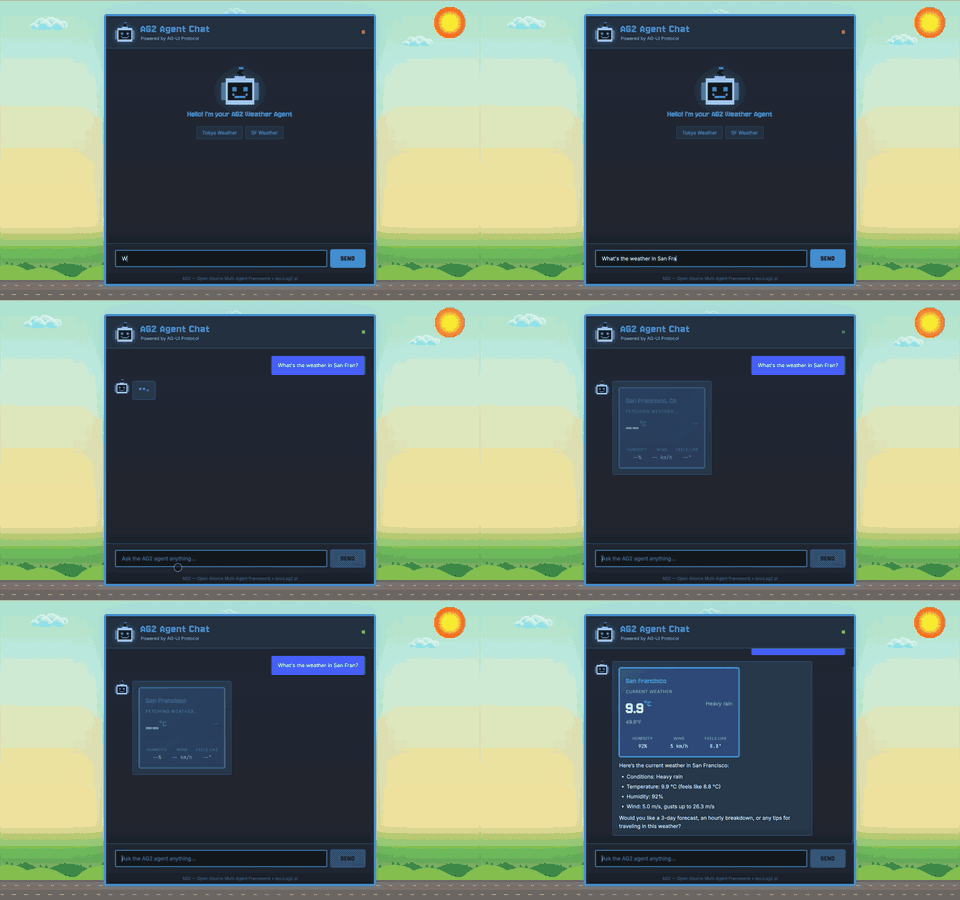
In this post, we'll look under the hood at how the protocol works by building a working agent chat application from scratch using a ConversableAgent with a weather tool, sending AG-UI events to a browser frontend that renders streaming text and an interactive tool card. Simple HTML, no frontend framework required.

AG2 Agent Chat powered by AG-UI