Moving agents to separate processes usually means rewriting the networking layer. With the AG2 Network, it's a constructor argument.
The Hub absorbs the topology difference. Replace LocalLink with WsLink, add an auth registry, and your agents are distributed. This post covers the three things you actually wire up to go from a local prototype to a network you can deploy.
Three agents are mid-conversation. The hub process restarts. When it comes back up, does the conversation survive?

Yes. Exactly as it was, envelope for envelope, in the same order, with the same adapter state. No partial log or replay from an approximation. The write-ahead log is the exact conversation.
The previous posts showed what the network lets agents do. This one explains why you can trust it.

We've touched on the four built-in conversation shapes; now you need to make them survive contact with the real world.
In the first post — One Coherent Agent Isn't Enough — you opened a channel, watched agents take turns, and saw the hub fold envelopes into a durable thread. That's the shape. This post is about the dials on top of that shape — the knobs that turn a loose multi-agent free-for-all into something you'd actually run when an agent goes quiet at 2am, a step needs to time out, or a sub-conversation has to stay off the main thread.
A single agent is a great starting point, but real work extends beyond just one.
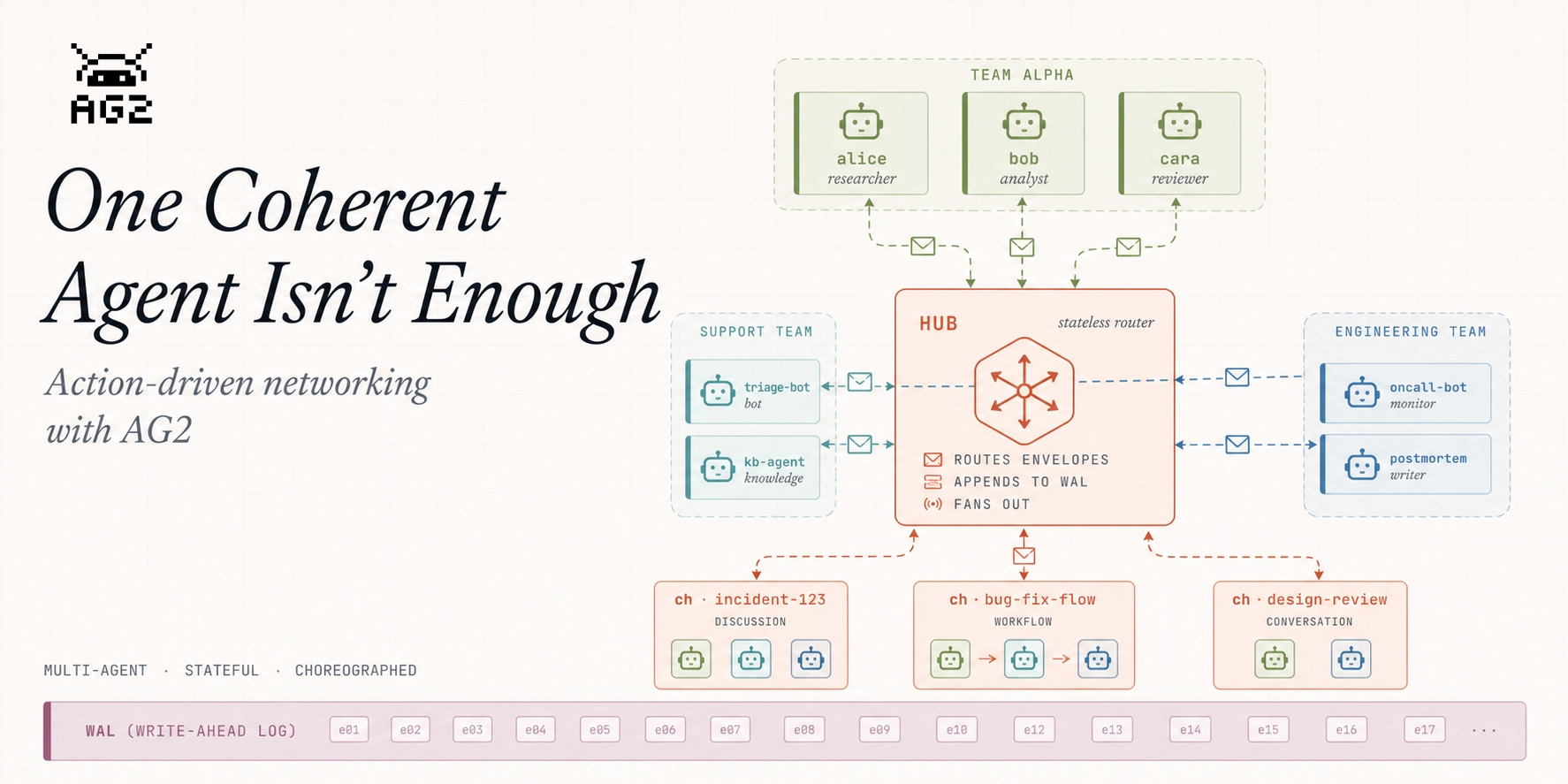
Real work spans people, teams, services, and machines. A support escalation touches a triage bot, a knowledge agent, an on-call engineer, and a postmortem writer. None of them is "in charge" — they each take a turn, in the open, over a shared thread that outlives any one of them.
That's what the AG2 Network is built for: a layer where stateful, identity-bound, choreographed actions live. By the end of this post you'll have run all four conversation shapes the network ships with — and have a flavor for AG2's new multi-agent network, which we'll expand on in upcoming posts.
Time for our AG2 agents to let their robotic hair down and have some fun. Jump in with agent orchestrations in the AG2 Playground: watch the flow between agents as they work, execute tools, and hand off to one another.
Interactive demos covering orchestration patterns and integrations. Pick one, select or type a prompt, hit Run, and watch agents light up as they think, stream responses, and coordinate in real time.
Want to do something similar, grab the code snippets on the Code tab for each demo or see the links to the topic in our documentation.
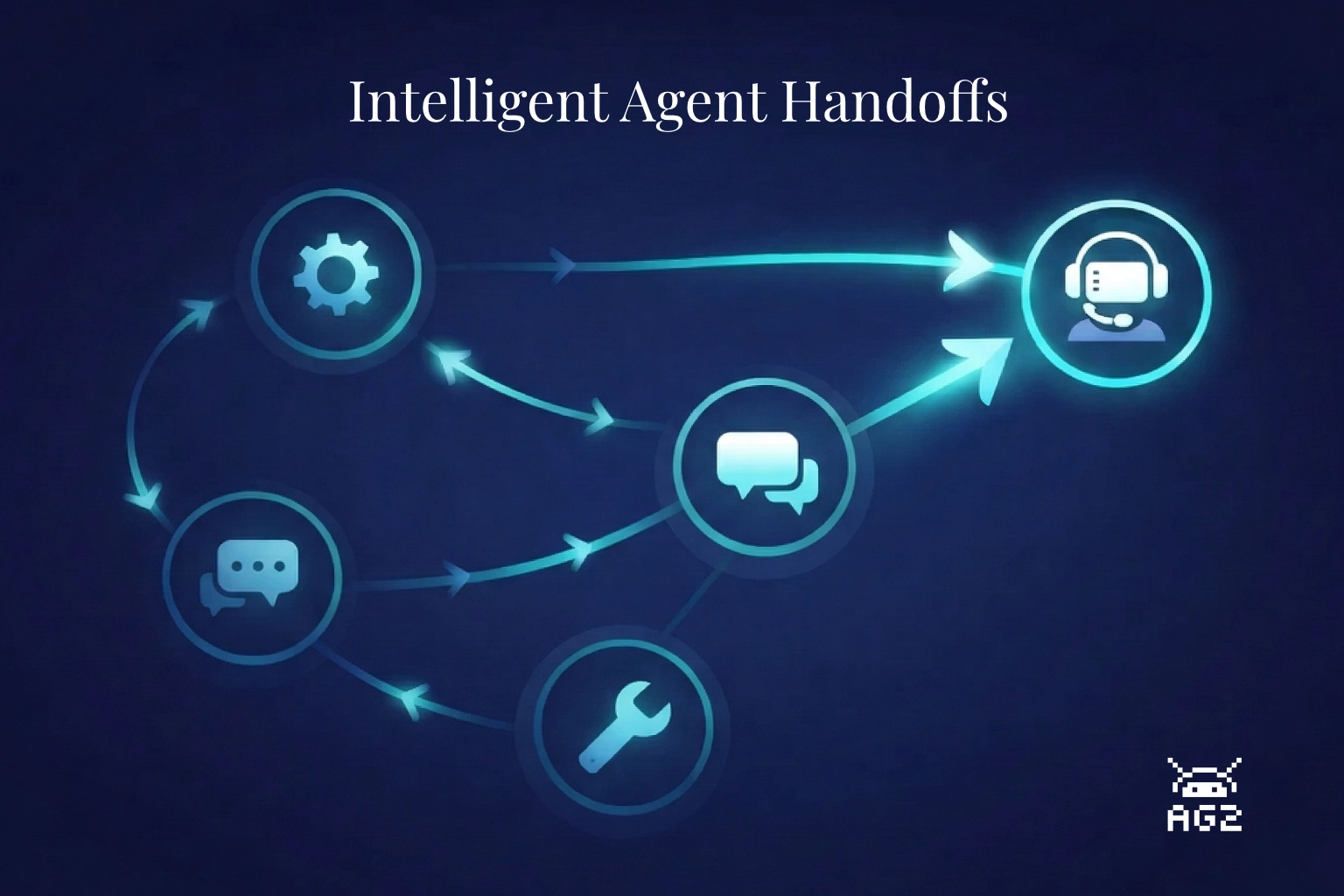
A customer messages your support system: "My laptop keeps shutting down randomly." The triage agent routes it to technical support. So far, so good. But the tech agent doesn't know whether this is a hardware or software issue, doesn't check the customer's account tier, and when it can't solve the problem, it hallucinates an answer instead of escalating. The customer leaves frustrated. The agent never knew it was supposed to hand off.
This is the handoff problem. And it's harder than it looks.
Ask an LLM to research a topic and write a report. It'll produce something -- sometimes quite good. But probe the sources, check the claims, or ask for substantial revisions and the limitations show up fast. The agent that searched the web is also the one drawing conclusions from it. There's no review step between research and writing. Errors and gaps pass straight through to the final document.
The fix isn't a better prompt. It's division of labor.
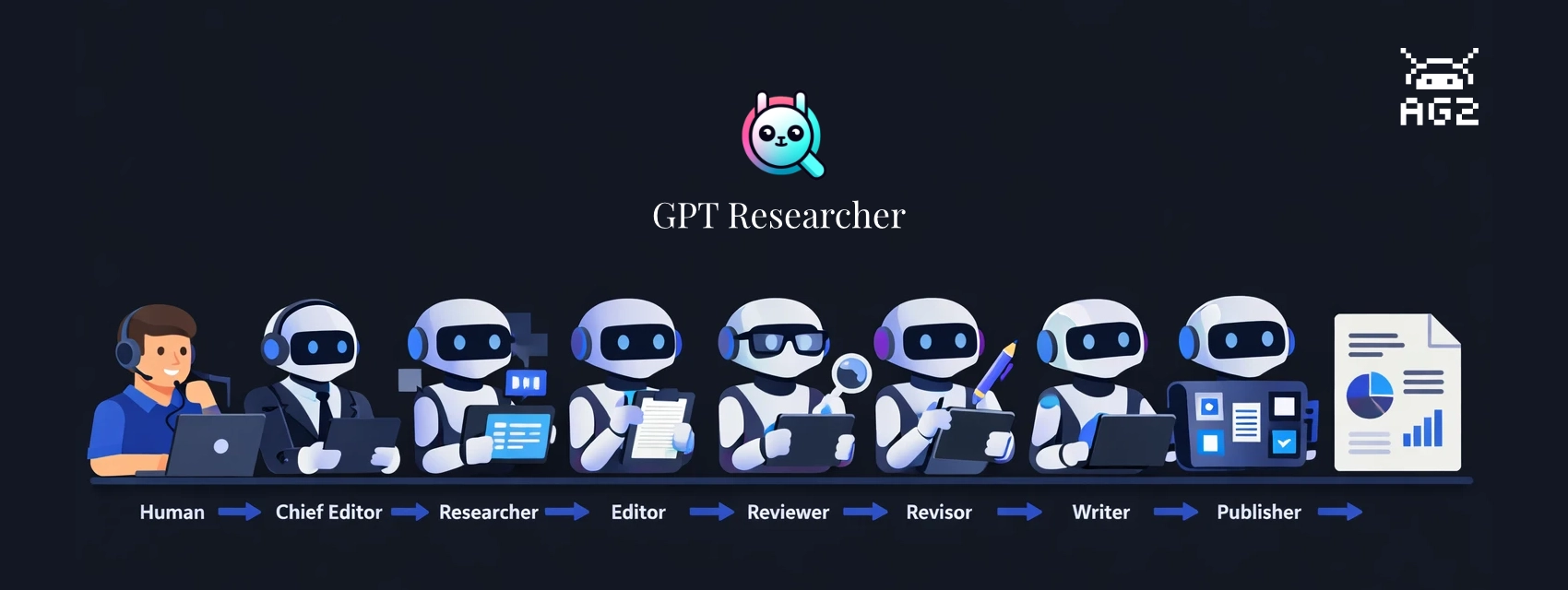
GPT Researcher, created by Assaf Elovic, is built on this idea: specialized agents, each with a distinct job, working through a staged pipeline. A researcher gathers, an editor outlines, a reviewer challenges the findings, a revisor incorporates the feedback, and a writer only touches finalized content. Every handoff is a quality check.
This post walks through the build-with-ag2 example, which runs the full pipeline with AG2 as the orchestration layer. The example ships with two run modes -- a terminal script and a web UI built on AG-UI that shows pipeline progress in real time and includes a human-in-the-loop review step before writing begins.
Multi-agent systems are powerful -- but when something goes wrong, figuring out where and why is painful. Which agent made the bad decision? Was the LLM call slow, or did the tool fail? How many tokens did that group chat actually use?
AG2 now has built-in OpenTelemetry tracing that gives you full visibility into your multi-agent workflows. Every conversation, agent turn, LLM call, tool execution, and speaker selection is captured as a structured span -- connected by a shared trace ID and exportable to any OpenTelemetry-compatible backend.
Key highlights:
Four simple API functions to instrument agents, LLM calls, group chats, and A2A servers
Hierarchical traces that mirror how agents process conversations
Distributed tracing across services using W3C Trace Context propagation
Works with any backend -- Jaeger, Grafana Tempo, Datadog, Honeycomb, Langfuse, and more
Follows OpenTelemetry GenAI Semantic Conventions for standard interoperability